Loopback
A downloadable tool for Windows
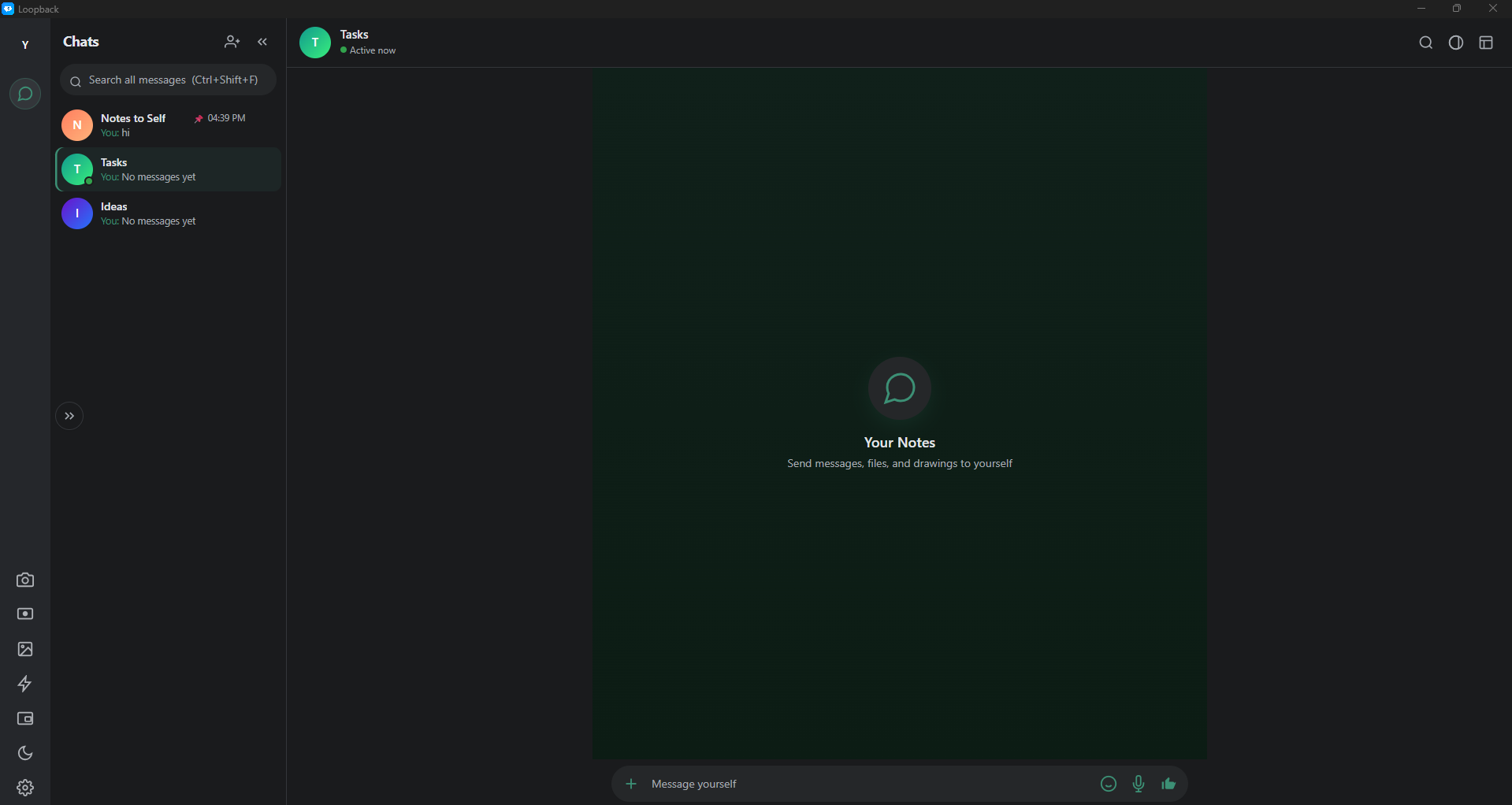
A chat window with exactly one contact: you.
No account, no sign-up, no sync service. Open it, type, done — every note lands in a plain JSON file on your own PC that you can read in Notepad and back up with a copy-paste.
Why a chat window?
Because every notes app I tried wanted me to sign up before it would let me paste a URL, and that friction is what kills the habit of writing things down. The best capture interface is not a better editor — it is the one you already know. Sending a message is a skill you have had for twenty years, so there is nothing to learn here.
What is in it
- Catch-all notes — as many lists as you want, rename / pin / delete, search inside a chat or across every chat.
- Files, images, voice notes, drawings — attach, paste, drag & drop, or send a whiteboard sketch.
- Screenshots — drag a region on screen; the shot is saved to the library and sent into the chat.
- Screen recording — mic + camera, with a draggable floating camera bubble that gets burned into the recording.
- Floating bar — hit minimize and the app turns into a tiny always-on-top bubble on the edge of your screen: screenshot, record, open the library, or reopen the chat from it, while you work in something else.
- 16 themes — light and dark, markdown, emoji, reactions, reply, pin, edit, delete.
- Optional World window — earthquakes, market data and headlines from public feeds (USGS, GDACS, GDELT, NOAA, Open-Meteo, CoinGecko, Polymarket, World Bank, Celestrak). This is the only part of the app that ever touches the internet, and you can ignore it completely.
Install
Windows 10 / 11 (x64). Two downloads:
- Setup — installs normally and adds a Start-menu shortcut.
- Portable — one file, no install, no admin rights; run it from a USB stick if you want.
Note: The build is not code-signed, so Windows SmartScreen may say "Windows protected your PC": click More info → Run anyway. That warning is about the missing paid certificate, not about what the app does.
Where your data lives
%APPDATA%\messenger-self-chat\— containsmessages.json,settings.json,files\,voice\, andcaptures\. Back up the folder simply by copying it.- No telemetry, no analytics, no account. Your notes are never uploaded anywhere.
- The chat window's own content-security policy blocks network access outright, so the part you type into cannot phone home even by accident.
- Uninstalling the app does not delete your notes — they are kept safely outside the install folder.
Shortcuts worth knowing
- Ctrl + Alt + N — quick note box on top of anything.
- Ctrl + F — search in this chat.
- Ctrl + Shift + F — search every chat.
- Esc — collapse the floating popup back to the bubble, or close whatever is open.
Made by one person
- Repository:
- github.com/Annguyen0410/Loopback
- Ten Electron test suites (about 300 assertions) check that every window opens and closes, that all 16 themes keep WCAG AA contrast, and that your notes survive an upgrade.
- Found a bug, or want something that is missing? Say so in the comments — it is one person reading them, and small fixes tend to ship the same week.
Download
Click download now to get access to the following files:
Leave a comment
Log in with itch.io to leave a comment.